
You might also like


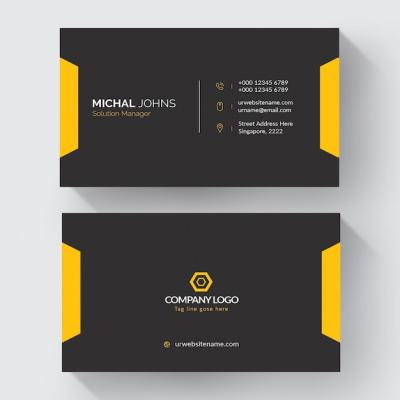
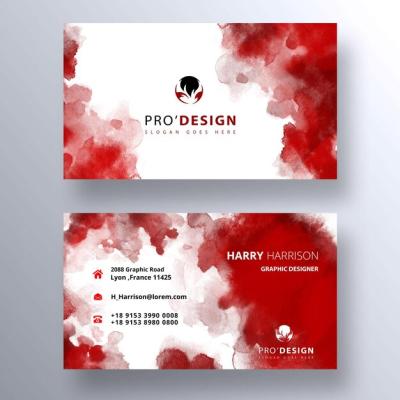
Eye-Catching Professional Business Card Layout – Printable Design for Free Vector Download
When it comes to making a lasting impression in professional settings, a well-designed business card can be crucial. At hdstockimages.com, we provide a collection of eye-catching professional business card layouts that not only look great but are also practical for printing. Our vector designs are crafted to ensure clarity and adaptability in various formats, giving you the flexibility needed for your branding needs.
Why Choose Our Professional Business Card Layouts?
Creating a professional image starts with the right business card. Here are several reasons to consider our unique designs:
- High-Quality Vector Files: Our business card layouts are available in vector format, ensuring that they remain sharp and clear, regardless of size adjustments.
- Print-Ready Designs: All templates are print-ready, compatible with standard card printing sizes, and include bleed guidelines for a seamless finish.
- Customization Options: Each card can easily be customized to match your branding colors, logos, and personal information, allowing for a tailored presentation.
- Variety of Styles: From minimalist to sophisticated designs, we offer a wide range of styles to meet diverse professional needs and tastes.
- User-Friendly: Designed with user experience in mind, our files are easy to modify, even for those with minimal graphic design experience.
Features of Our Business Card Designs
Understanding the features that set our business card layouts apart is essential when choosing the right design for your professional needs. Here is a breakdown of what you can expect:
1. Aesthetic Appeal
Our business card setups prioritize visual impact while maintaining professionalism. The careful use of colors, typography, and layouts ensures that your card stands out yet remains approachable.
2. Versatile Formats
These designs are offered in various formats such as PSD, which allows users to edit the elements easily using programs like Adobe Photoshop. This compatibility means you can change text, colors, and even the overall layout without hassle.
3. Unique Design Elements
Each layout is curated with unique design elements that might include:
- Geometric patterns
- Textured backgrounds
- Creative use of space
- Innovative shapes and cuts
- Icons and illustrations that complement the professional theme
How to Use Our Business Card Templates
Utilizing our business card templates is straightforward. Follow these easy steps to get started:
Step 1: Browse the Collection
Visit our dedicated section on hdstockimages.com and explore our extensive collection of business card layouts. Use filters to narrow down your options based on color, style, and format.
Step 2: Download the Template
Once you find a design that resonates with your style, proceed to download the vector file. Ensure you select the correct size and format for your intended use.
Step 3: Edit as Needed
Using programs like Adobe Photoshop or Adobe Illustrator, open the PSD file and customize it to your liking. This might include:
- Adding your name and title
- Incorporating your logo
- Adjusting color schemes to match your branding
- Changing font styles for better readability
Step 4: Prepare for Printing
Once you are satisfied with the design, save your file in the appropriate format compatible with your printing service. Be sure to adhere to any printing guidelines provided by your chosen vendor, such as bleed requirements and resolution settings.
Step 5: Print and Distribute
After preparing your file, it’s time to print. Whether you opt for a local print shop or an online printing service, ensure that the business cards are of high quality to reflect the professional image you want to convey. Distributing your cards effectively can open up networking opportunities and help create connections in your industry.
Tips for Designing Your Business Card
Effective business cards incorporate various design principles. Here are some tips to enhance your card design:
- Simplicity: Keep your design clean and uncluttered. Avoid overcrowding the card with unnecessary information.
- Legibility: Choose fonts that are easy to read. Combine styles but limit yourself to two or three font types for cohesiveness.
- Consistent Branding: Ensure that your card design aligns with your overall branding, including color schemes and logo usage.
- Call to Action: If relevant, include a call to action, such as a website or social media handle, to encourage further engagement.
- Quality Material: When printing, consider the type of paper or finish. A thicker cardstock or special finishes (like matte or glossy) can add a touch of sophistication.
Conclusion
In today’s competitive business landscape, having an impactful and well-designed business card is an essential tool for networking and creating impressions. At hdstockimages.com, our collection of eye-catching professional business card layouts is designed to cater to a variety of tastes and requirements. Enhance your professional presence with our unique vector designs that are not only visually appealing but also functional and easy to customize. With just a few simple steps, you can create a standout business card that truly reflects your brand identity. Start exploring our templates today and take the first step towards making your mark in the professional world.


