
You might also like


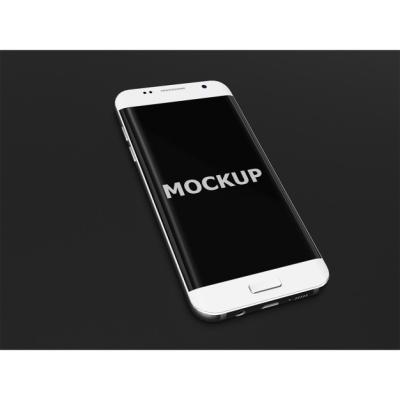
“Top View Device Concept with Ample Copy Space – Free Photo Download”
Explore the Versatility of Top View Device Concept Images
When it comes to designing appealing visuals for websites, presentations, or marketing materials, **top view device concept images** offer an excellent foundation. These images cater to a variety of applications, from tech blogs to online stores, providing the ideal backdrop for showcasing devices in a modern way. At hdstockimages.com, we present a collection of stunning top view device concepts that feature ample copy space, allowing you to customize the content as needed.
Why Choose Top View Device Concept Images?
The top view device concept is not just aesthetically pleasing; it serves practical purposes in visual communication. Consider the following reasons for incorporating this type of imagery into your project:
1. Enhanced Focus on Products
- Creates an unobstructed view of the subject
- Directs viewers’ attention to the device being featured
- Eliminates distractions from the surrounding environment
2. Ideal for Branding and Marketing
- Allows for the inclusion of logos and taglines
- Offers a clean layout that aligns with modern branding aesthetics
- Encourages viewer engagement through visually striking designs
3. Versatility Across Categories
- Suits various industries, including technology, education, and lifestyle
- Can easily accommodate text overlays for promotional content
- Provides opportunities for innovative display of products and services
Choosing the Right Image for Your Needs
Selecting the appropriate top view device concept image requires careful consideration. Here are some factors to keep in mind when curating the right visual for your brand:
1. Determine the Subject Matter
Identify the specific device or technology you want to highlight:
- Smartphones
- Laptops
- Tablets
- Wearable devices
2. Assess the Style and Color Palette
Ensure the image matches your brand’s aesthetic. Popular styles may include:
- Minimalistic designs
- Vibrant, colorful compositions
- Dark or moody atmospheres
3. Evaluate Copy Space Availability
Check the image for ample copy space to include text without overcrowding the visual:
- Look for images with large areas of negative space
- Choose designs that don’t hinder your text readability
Practical Uses for Top View Device Concept Images
These images can serve multiple purposes across various platforms and formats. Here are some common use cases:
1. Website Headers and Banners
Utilize top view device images on your homepage or landing pages to create impactful headers and banners. This can generate interest and guide users toward your offerings.
2. Social Media Posts
Create eye-catching social media graphics that feature engaging copy alongside stunning visuals. Top view device images work well with platforms such as Instagram, Facebook, and LinkedIn.
3. Marketing Collateral
Incorporate these visuals into brochures, flyers, and promotional emails. They can effectively convey the essence of your product and capture the attention of your audience while providing valuable information.
4. eCommerce Product Displays
When selling gadgets or technology items online, use top view device images to present your products. The clean aesthetic helps enhance the appeal of each item while making your listings stand out.
5. Educational Content and Presentations
Use these images in educational materials or presentations to support your content visually. They can clarify complex ideas and offer visual breaks from text-heavy slides.
Tips for Using Top View Device Concept Images Effectively
To maximize the impact of your chosen top view device concept images, keep the following tips in mind:
1. Maintain Consistency Across Visuals
Ensure that all images across your platforms match in style, color palette, and quality. This consistency enhances brand recognition and gives your content a cohesive appearance.
2. Experiment with Overlays and Text Formatting
When adding text, use different fonts, sizes, and colors to create visually pleasing contrasts:
- Try bold fonts for headlines and lighter fonts for descriptions.
- Utilize brand colors to enhance visibility and cohesion.
3. Optimize for Various Devices
Make sure that your images are responsive and appear well on all device types, from mobiles to tablets. This adaptability ensures users have a good experience regardless of their screen size.
4. Test Different Layouts
Don’t hesitate to try multiple layouts with your images to see what resonates best with your audience. Gather feedback and analyze engagement to determine which designs are most effective.
5. Regularly Update Your Visual Content
Keep your content fresh by periodically updating imagery and ensuring that it reflects current trends in design and technology. This practice can keep your audience engaged and interested.
Conclusion
Top view device concept images with copy space provide a versatile solution for various digital and print applications. By selecting high-quality visuals from hdstockimages.com, you can enhance your marketing strategies and visual communications. Whether for websites, social media, or presentations, these images effectively showcase your products and services while engaging your audience. Explore our collection today to find the perfect images that meet your needs and elevate your projects.


