Sharing content across platforms can seem daunting, but it’s a game-changer for boosting engagement. If you have captivating YouTube videos, why not showcase them on Instagram? This not only helps you reach a broader audience but also creates a cohesive online presence. In this post, we'll explore the significance of cross-platform sharing and provide you with practical tips to elevate your social media strategy!
Understanding the Importance of Cross-Platform Sharing
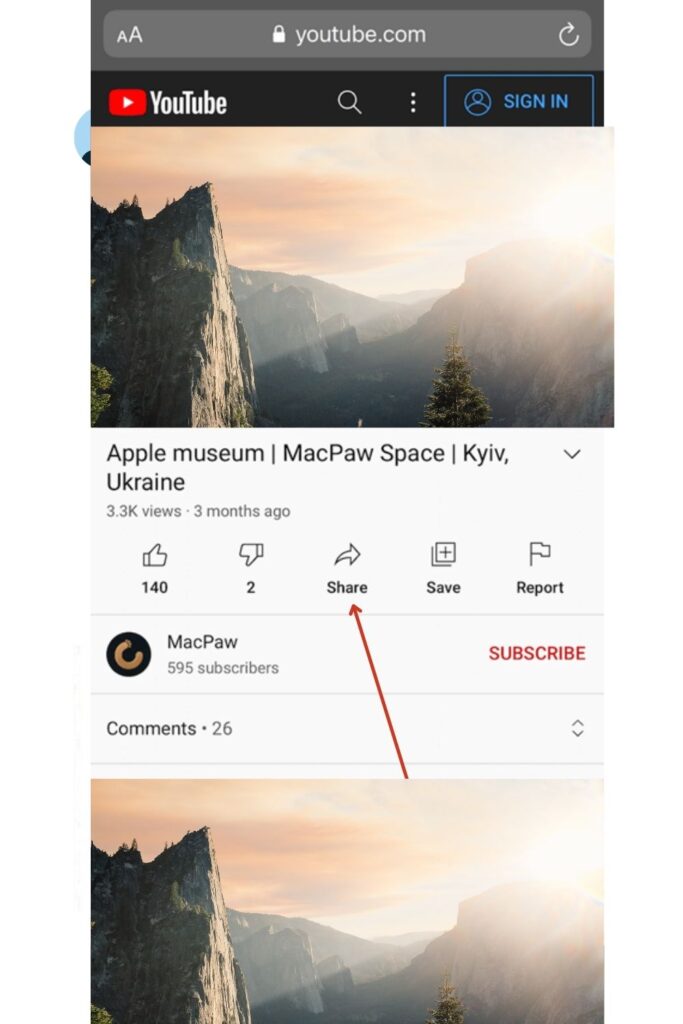
In today's digital landscape, cross-platform sharing has become essential for content creators and brands alike. It’s not just about promoting one piece of content on different platforms; it’s about creating a unified brand experience that resonates with your audience wherever they are. Let’s dive into why this practice is so impactful.
1. Expanding Your Reach
Instagram boasts over 1 billion active users, while YouTube has over 2 billion. By sharing your YouTube videos on Instagram, you're essentially tapping into two vast pools of potential followers. Each platform has its own unique audience, and by sharing across both, you increase the chances of attracting new viewers who may not have discovered your
2. Enhancing Engagement
Different platforms encourage different types of interaction. For instance, Instagram thrives on visual content and quick engagement through likes and comments. When you share your YouTube videos, you can encourage your audience to engage with both the video and the content on Instagram. This could look like:
- Posting a teaser clip from your YouTube video on your Instagram feed.
- Using Stories to poll your audience about what they think of the video.
- Creating IGTV videos that link back to longer YouTube content.
3. Building a Cohesive Brand Identity
When you share content across platforms, you help establish a consistent brand identity. This consistency builds trust with your audience. For example, if your YouTube videos feature your unique style of presenting topics, reflecting that in your Instagram posts—whether through visuals, captions, or hashtags—reinforces who you are as a creator.
4. Driving Traffic
One of the primary goals of cross-platform sharing is to drive traffic from one platform to another. When you share a YouTube video on Instagram, make sure to include a clear call-to-action (CTA) directing users to your YouTube channel. Phrases like “Check out the full video in my bio!” can effectively guide your audience to the content you want them to see.
5. Leveraging Analytics
Most social media platforms provide analytics that can help you understand your audience's behavior. By analyzing how your Instagram audience interacts with your YouTube content, you can refine your approach. For instance, if you notice high engagement on a particular video snippet shared on Instagram, you might consider creating more similar content in the future.
In summary, cross-platform sharing is not just a trendy tactic; it’s a crucial strategy for enhancing visibility and engagement. By understanding its importance, you can create tailored content that resonates across channels and helps in building a loyal audience. So, are you ready to start sharing? Let's dive deeper into how to effectively share your YouTube videos on Instagram in the next sections!
Also Read This: Playing YouTube Videos in the Background on Android: Easy Hacks
3. How to Share YouTube Videos on Instagram Stories
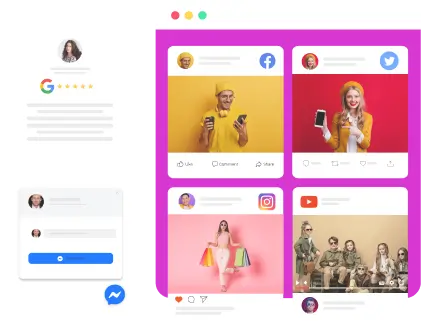
Sharing your YouTube videos on Instagram Stories is a fantastic way to engage your audience and drive traffic to your channel. Stories are super dynamic and allow for more casual, spontaneous sharing. Here’s how you can do it:
- Open Your YouTube Video: Start by selecting the video you want to share. Make sure it’s one you think your Instagram followers will enjoy!
- Copy the Video Link: Tap on the share button on YouTube and select “Copy Link.” This will place the video URL on your clipboard.
- Open Instagram: Launch the Instagram app and swipe right or tap on your profile picture to create a new Story.
- Add the Link: In your Story creation screen, tap on the link icon (it looks like a chain link). Paste the YouTube link you copied earlier. This step is crucial because it allows viewers to swipe up to access the video directly!
- Enhance Your Story: To make your Story more appealing, consider adding stickers, text, or gifs. You could include a catchy phrase like, “Check out my latest video!”
- Share Your Story: Once you’re happy with how it looks, hit “Your Story” to share it with your followers!
And voilà! Your followers can now swipe up and watch your YouTube video right from your Instagram Story. This method not only boosts engagement but also keeps your audience connected across platforms.
Also Read This: Is YouTube Free on Dish Network? A Detailed Explanation
4. Steps to Post YouTube Videos on Your Instagram Feed
If you want to share your YouTube videos on your Instagram Feed, the process is slightly different but equally effective. Here's how you can make your YouTube content shine on your Instagram profile:
- Choose a Snippet or Thumbnail: Instead of sharing the entire video, select a short snippet (15-30 seconds) that captures the essence of your YouTube video. Alternatively, you can use a compelling thumbnail from the video.
- Download the Video Clip: Use a video downloader tool to save the clip from YouTube if you don’t have it saved on your device. Just ensure you’re adhering to copyright regulations!
- Open Instagram: Go to the Instagram app and tap the plus sign (+) to create a new post.
- Upload Your Video: Select the video clip you’ve downloaded or the thumbnail you want to use. Instagram allows you to post videos up to 60 seconds long on the Feed, so make sure your snippet fits this timeframe.
- Craft an Engaging Caption: Write a captivating caption that encourages your followers to check out the full video on YouTube. You might say something like, “Want to know more? Watch the full video on my channel! Link in bio.”
- Add Relevant Hashtags: Use hashtags related to your content to reach a broader audience. Consider hashtags like #YouTube, #VideoContent, or specific topics related to your video.
- Share Your Post: Once everything looks good, hit “Share.” Your followers will now see your video snippet on their feed!
By sharing your YouTube videos on your Instagram Feed, you’re not just diversifying your content but also enticing your followers to engage with you on different platforms. It’s all about creating a cohesive brand experience!
Also Read This: Can I Upload MOV to YouTube? Understanding File Compatibility
5. Using Third-Party Apps for Enhanced Sharing
If you're looking to streamline your process of sharing YouTube videos on Instagram, third-party apps can be your best friend! These tools not only simplify the sharing process but can also enhance your content. Here are some popular options:
- Linktree: This app allows you to create a single landing page containing multiple links. You can add your YouTube video link along with others, making it easy for your Instagram followers to access your content.
- Canva: Known for graphic design, Canva also lets you create stunning visuals for your Instagram posts. Design an eye-catching thumbnail or promotional image for your YouTube video that grabs attention!
- Hootsuite: Manage your social media presence efficiently with Hootsuite. Schedule your posts, including video shares, at optimal times for maximum engagement.
- Buffer: Similar to Hootsuite, Buffer enables you to plan and schedule your content. It’s great for maintaining a consistent posting schedule without overwhelming yourself.
Using these apps not only saves time but also ensures your posts are visually appealing and well-timed. For example, with Canva, you could create a series of posts that build anticipation for your YouTube video, guiding followers to your profile link. This multi-faceted approach to sharing can significantly boost your viewer engagement and drive traffic to your YouTube channel.
Before you rush to download every app, consider what features you actually need. A simple tool like Linktree might suffice for directing traffic, while a design tool like Canva can elevate your visual content. Choose wisely based on your goals and the audience you want to engage!
Also Read This: Why Does YouTube TV Keep Freezing? Troubleshooting Playback Issues
6. Common Mistakes to Avoid When Sharing
While sharing YouTube videos on Instagram can be a fun way to connect with your audience, there are a few common pitfalls you should steer clear of. Let’s break down some mistakes that could cost you engagement:
- Neglecting Your Audience: Always tailor your content to your audience’s interests. If your followers aren't into your latest video topic, they’re less likely to engage. Conduct polls or ask for feedback to understand what they want!
- Ignoring Video Quality: A blurry or poorly edited video can turn viewers away. Always ensure your YouTube video is high-quality before sharing it on Instagram. Invest time in editing for a polished final product.
- Overlooking Captions: Not using captions in your posts can limit accessibility. Many users scroll through Instagram with the sound off. A clear caption that summarizes your video can entice viewers to click through and watch.
- Forgetting a Call to Action (CTA): You might share an awesome video, but if you don’t tell your audience what to do next, they might just scroll past it. Use CTAs like “Check out the full video on my channel!” to guide them.
- Being Inconsistent: Consistency is key in building a brand. If you're sporadic about sharing, your followers may lose interest. Establish a posting schedule to keep your audience engaged.
By avoiding these common mistakes, you can create a more engaging experience for your Instagram followers. For instance, always ask yourself: “Will my audience find this video interesting?” And don’t forget to sprinkle in some enthusiastic CTAs that encourage interaction!
In conclusion, sharing YouTube videos on Instagram can be a breeze if you leverage third-party apps wisely and avoid typical pitfalls. Keep your audience engaged, and watch your cross-platform interactions grow!
Also Read This: How to Upload Video from iPhone to YouTube: A Simple Guide
7. Tips for Maximizing Engagement with Your Shared Videos
So you’ve decided to share your YouTube videos on Instagram—great choice! But how do you ensure that your audience engages with your content? Here are some tried-and-true tips to help you maximize that engagement:
- Craft Compelling Captions: Your caption plays a crucial role in attracting viewers. Ask questions, add a bit of humor, or share a personal anecdote related to the video. For instance, instead of just saying “Check out my video,” try something like, “Ever wondered how to cook the perfect pasta? 🍝 Click to find out my secret!”
- Use Hashtags Wisely: Hashtags can significantly enhance the visibility of your posts. Research trending hashtags related to your content, but don't go overboard—keep it to 5-10 relevant ones. For example, if your video is about travel, you could use hashtags like #TravelTips, #Wanderlust, and #TravelVlog.
- Engage with Your Audience: Once you share your video, stick around! Respond to comments and messages. If someone asks a question about the video, answer it! This interaction not only fosters community but also signals to Instagram that your content is engaging.
- Utilize Instagram Stories: Share snippets of your YouTube video in your Stories to create buzz. Use features like polls or quizzes related to your video content to encourage viewers to engage and even drive them to check out the full video.
- Post at the Right Time: Timing is everything! Analyze when your followers are most active and schedule your posts accordingly. Tools like Later or Hootsuite can help you determine those peak engagement times.
- Collaborate with Influencers: Partnering with influencers or other content creators can help you tap into their audience. A shoutout or a collaborative post can introduce your videos to new viewers who might not have come across your channel otherwise.
- Encourage Sharing: Don’t shy away from asking your audience to share your video! A simple “Tag a friend who needs to see this!” can go a long way in increasing your reach.
Remember, the key is to create content that resonates with your audience and invites them to be part of the conversation. By following these tips, you’ll not only share your YouTube videos on Instagram but also create a vibrant community around your content!
8. Conclusion
Sharing YouTube videos on Instagram doesn’t have to be daunting. In fact, it can be an incredibly rewarding way to connect with your audience across different platforms. By utilizing the strategies we’ve discussed, you can create engaging posts that not only showcase your video content but also foster interaction and community.
To recap, focus on crafting captivating captions, use relevant hashtags, engage actively with your audience, and leverage Instagram’s features to your advantage. Each post is an opportunity to spark conversations and grow your following, so don’t underestimate the power of a well-shared video!
As you embark on this cross-platform journey, keep experimenting and learning from your audience's responses. The more you adapt and refine your approach, the better your engagement will become. Happy sharing!
 admin
admin







