Telegram is more than just a messaging app; it’s a powerful platform that combines speed, security, and versatility. Launched in 2013, it quickly gained popularity for its user-friendly interface and impressive features. With over 500 million active users, Telegram stands out not only for personal chats but also for dynamic group interactions and channels. Let’s dive into what makes
Key Features of Telegram

- Cloud-Based Messaging: Your messages are stored securely in the cloud, allowing you to access them from any device.
- Secret Chats: End-to-end encryption ensures that your private messages remain private.
- Large Groups and Channels: You can create groups with up to 200,000 members or broadcast messages to an unlimited audience with channels.
- Customizable Bots: Enhance your experience with bots for games, reminders, and news updates.
- File Sharing: Easily send files up to 2GB in size, whether they’re documents, photos, or videos.
These features make Telegram not just a messaging app, but a platform for communities, businesses, and friends alike. So, let’s explore why you might choose Telegram for your communication needs.
Also Read This: How to Retrieve Deleted Telegram Messages: Methods to Recover Lost Chats
Why Use Telegram for Communication?
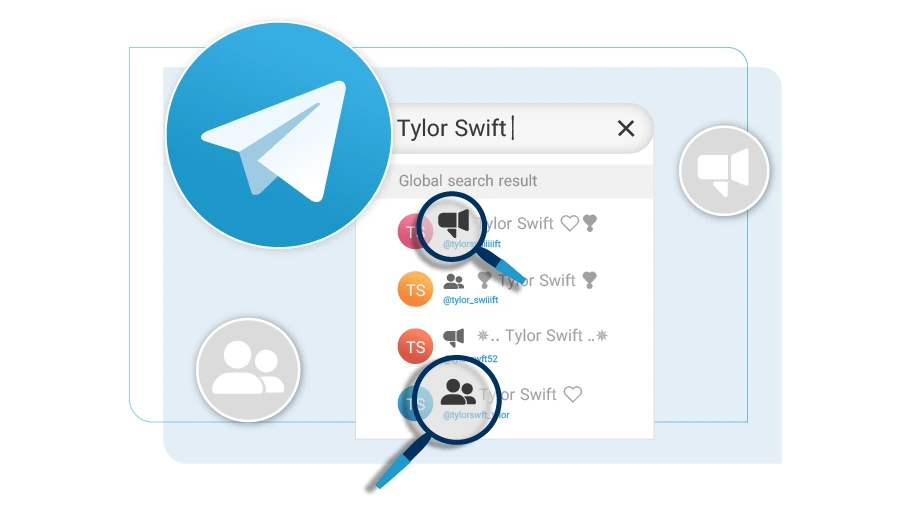
In a world overflowing with messaging apps, you might wonder why Telegram should be your go-to choice. Well, let’s break it down!
1. Privacy and Security
Telegram puts a significant emphasis on user privacy. With its Secret Chat feature, you can initiate conversations that are end-to-end encrypted, meaning only you and your recipient can read the messages. Plus, these chats can self-destruct after a specified period, giving you complete control over your conversations.
2. Versatile Communication Options
Telegram offers various ways to connect. Whether you prefer one-on-one chats, group discussions, or broadcasting messages via channels, Telegram caters to all. Groups can have a vast number of participants, making it perfect for communities or large teams.
3. Accessibility Across Devices
Imagine starting a conversation on your phone and seamlessly continuing it on your laptop. That’s the power of Telegram’s cloud-based messaging. You can access your chats from any device without worrying about losing data or syncing issues. Just log in, and you’re good to go!
4. Engaging Features
Telegram isn’t just about chatting; it’s packed with features that make communication engaging. You can share multimedia, create polls, and even use stickers and GIFs to express yourself. Plus, the ability to create custom bots can enhance group interactions and automate tasks.
5. Open to Everyone
One of the best parts about Telegram is that it’s free and open to everyone. There are no hidden fees or subscriptions, making it an accessible choice for users worldwide.
In conclusion, if you’re looking for a secure, versatile, and user-friendly messaging platform, Telegram is a fantastic option. Its unique features and commitment to privacy distinguish it from other apps, making it ideal for both personal and professional communication. So why not give it a try? You might just find your new favorite way to connect!
Also Read This: How to Remove Your Phone Number from Telegram for Increased Privacy
3. Creating a Telegram Account
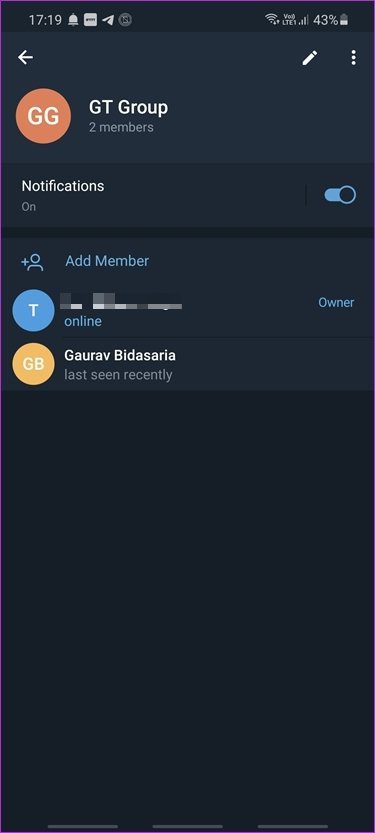
Getting started with Telegram is super simple, and the best part? You can do it in just a few minutes! So, let’s dive into the steps to create your own Telegram account.
- Download the App: First things first, head over to your device’s app store. You can find Telegram on both Google Play Store for Android and the Apple App Store for iOS. If you prefer using Telegram on your desktop, you can download it from their official website.
- Install and Open Telegram: After downloading, install the app and open it. You’ll be greeted by a friendly interface ready to get you started.
- Enter Your Phone Number: Telegram requires your phone number for verification. Simply select your country code and enter your number. Don’t worry; your number will remain private from other users unless you choose to share it!
- Verify Your Number: Once you've entered your number, Telegram will send you a verification code via SMS. Input this code into the app, and voilà, you’re in!
- Set Up Your Profile: Now that you’ve verified your phone number, it’s time to personalize your account. Add your name and a profile picture. This helps other users recognize you easily. You can also skip this step and do it later if you're in a hurry.
- Explore Telegram: Once you're set up, take some time to explore the app. Check out the various features like channels, groups, and bots that make Telegram a unique messaging platform!
And just like that, you've created your Telegram account! Now, let’s move on to the fun part: finding users and groups!
Also Read This: How to Find a Bot Chat ID on Telegram for Automation
4. Searching for Users on Telegram

Finding people on Telegram can feel a bit like a treasure hunt, but with the right tools, you can swiftly navigate your way to connect with friends, family, or even interesting groups and channels. Here’s how to do it:
- Using the Search Bar: At the top of your Telegram app, you’ll notice a magnifying glass icon. This is your search bar! Tap it to start searching for users or groups. You can type in their username, full name, or any keywords that might be associated with them.
- Searching Usernames: Many Telegram users have unique usernames, which are easy to search. Just enter the username (for example, @username) in the search bar. If they have a public profile, they should pop up in your results!
- Exploring Groups: If you’re looking for groups, type in keywords related to your interests (like "hiking," "book clubs," or "tech news"). This will help you discover various public groups you can join.
- Matching Contacts: If you've synced your contacts, Telegram can show you which of your friends are already using the app. Just tap on the “Contacts” tab, and you'll see a list of your saved contacts who are on Telegram!
- Using Telegram Web: If you prefer, you can also search on Telegram Web. Just go to the web version, log in, and utilize the search bar there. It’s just as straightforward as the mobile app.
Remember, searching for users and groups can sometimes yield different results based on your privacy settings and whether the user has a public or private profile. So, don’t get discouraged if you can’t find someone right away! Keep exploring, and soon enough, you’ll be connected with a whole new community on Telegram.
Also Read This: How to Disable Sensitive Content on Telegram for Safer Browsing
5. Finding Groups on Telegram
Finding groups on Telegram can feel like searching for a needle in a haystack, but fear not! With a few handy strategies, you’ll be connecting with like-minded individuals in no time. Here’s how to dive into the world of Telegram groups:
1. Utilize the Telegram Search Bar:
At the top of your Telegram app, you'll notice a search bar. Simply type in keywords related to your interests. For example, if you’re into photography, try searching for “Photography” or “Photo Editing.” This will yield a list of groups, channels, and chats that contain those terms.
2. Explore Telegram Group Directories:
There are various online directories specifically for Telegram groups. Websites like Telegram Group and Telegram Directory can be treasure troves of communities. You can browse categories such as Sports, Technology, or even Hobbies to find exactly what you’re looking for.
3. Ask for Invites:
If you have friends or acquaintances on Telegram, don’t hesitate to ask if they can invite you to groups they are part of. This is often the best way to find quality groups that cater to your interests, as recommendations from friends usually lead to great experiences.
4. Check Social Media Platforms:
Many Telegram groups are advertised on platforms like Facebook, Reddit, and Twitter. Join communities related to your interest on these sites and keep an eye out for posts linking to Telegram groups. For instance, a Reddit post in a gaming subreddit might have a list of popular gaming Telegram groups.
5. Join Public Channels:
Public channels often have links to associated groups. For example, a news channel may have a discussion group where subscribers can chat about the latest articles. Joining these channels can open the door to vibrant communities.
Also Read This: How to Recover a Deleted Telegram Account Quickly
6. Using Telegram's Search Functionality Effectively
Telegram’s search function is a powerful tool that many users overlook. Mastering it can make your experience way smoother! Here’s how to make the most out of this handy feature:
1. Filter Your Search Results:
When you type something in the search bar, you might notice that results can be overwhelming. Use filters to narrow down the results. For instance, type in a keyword followed by “group” or “channel” to refine your search. Example: “Tech group” will help you find tech-related groups specifically.
2. Search by Username:
If you're looking for a specific user, type their username directly into the search bar. Remember to include the @ symbol. For example, @username will take you directly to that user’s profile if they have a public account.
3. Use Quotation Marks:
For more precise results, try using quotation marks around your search terms. For example, searching for “art enthusiasts” will yield results that match that exact phrase, saving you from sifting through unrelated content.
4. Check Message History:
If you’re part of a group and can’t find an important message, use the search function within that group. Open the group chat, tap on the group name at the top, and hit the search icon (magnifying glass). This allows you to search only the messages from that particular group.
5. Explore Recent Searches:
Telegram keeps a history of your searches, which can be incredibly useful when you want to revisit previous topics. Just tap on the search bar, and you’ll see your past searches pop up. This way, you can quickly return to groups or channels you’ve had your eye on!
By employing these strategies, you’ll become a pro at navigating Telegram’s vast landscape of users and groups, making your experience more enjoyable and connected!
Also Read This: What's the Telegram and Gazette: Explaining the Connection
7. Exploring Public Channels and Groups
Telegram offers a vibrant ecosystem of public channels and groups that cater to a multitude of interests. Whether you're into technology, cooking, or just want to join a community of like-minded individuals, there's likely a channel out there for you!
To start your exploration, head to the Telegram app and tap on the search bar at the top. Here are some steps to effectively find what you're looking for:
- Use Keywords: Enter specific keywords related to your interests. For instance, if you’re into photography, typing “photography” can yield channels and groups dedicated to that topic.
- Browse the Categories: Telegram also provides a category feature in some regions. You can find channels organized by themes like news, entertainment, or technology, making it easier to discover new groups.
- Check Out Recommendations: Sometimes, Telegram will recommend popular channels based on your interests or the ones your contacts are in. This can lead you to some hidden gems!
Once you find a channel or group that piques your interest, simply tap on it to view the content. You can join groups to engage with other members or subscribe to channels to stay updated on the latest posts. Just remember, while most groups are public and open for anyone to join, always check the group rules to avoid any issues.
Moreover, it’s important to note that some groups are moderated, meaning you might have to wait for approval to join. This is often the case for groups focused on specific topics or communities where discussions need to be more controlled.
As you navigate through different channels, don’t hesitate to participate in discussions. Engage in conversations, share your thoughts, and connect with others. This interactivity is what makes Telegram communities so vibrant and enjoyable!
Also Read This: How to Add Someone on Telegram Using Their Username: A Step-by-Step Guide
8. Privacy Considerations When Searching on Telegram
While Telegram is known for its privacy features, it’s crucial to be aware of certain aspects when searching for users and groups. Here are some considerations to keep in mind:
- Username Visibility: If you’re searching for users, remember that not everyone has a public username. If a user hasn't set one, they won't appear in search results. When creating your own username, think carefully about whether you want it to be easily discoverable by others.
- Profile Picture and Bio: Your profile picture and bio can give away more information than you might realize. If privacy is a concern, consider using a more generic photo and limiting the personal information you share in your bio.
- Join Groups Anonymously: If you’re concerned about privacy, you can join groups and channels without revealing your phone number. Just ensure that the group allows for anonymous participation.
Additionally, it’s wise to be cautious about engaging with unknown users. Scammers can often lurk in public groups. Here are a few tips to protect yourself:
- Verify Information: If someone reaches out to you directly, verify their identity. Be wary of sharing personal details, especially financial information.
- Adjust Your Privacy Settings: Telegram allows you to customize who can see your phone number, profile pic, and last seen status. Make use of these settings to enhance your privacy.
In essence, while Telegram is a fantastic platform for communication and community, staying vigilant about your privacy is key. By being proactive and informed, you can enjoy the benefits of the app while keeping your personal information secure.
Also Read This: How to Create a Group on Telegram: A Complete Guide for Beginners
9. Tips for Connecting with Friends and Family
Finding and connecting with friends and family on Telegram can be a breeze if you know the right strategies to use! Here are some tips to make your searching experience smooth and enjoyable:
- Use the Search Function: Telegram has a built-in search feature that allows you to look up users and groups. Just tap on the search bar at the top and type in your friend’s username or name. If they’ve set their privacy settings to be discoverable, they should pop up!
- Share Your Username: If you want to connect with friends, share your Telegram username with them. Unlike phone numbers, usernames are unique identifiers that can be used to find you without revealing your personal information.
- Create a Group Chat: If you have multiple friends or family members you'd like to chat with, create a group! Just tap on the “New Group” icon, add members, and start chatting. It’s a great way to keep everyone in the loop.
- Utilize Contacts Sync: Make sure you enable contacts syncing in your Telegram settings. This allows the app to automatically find and suggest contacts who are already using Telegram, making it easier to connect with them.
- Invite Friends via Link: You can generate an invite link for your group chats. Simply go to the group settings and select “Invite to Group via Link.” Share this link with friends who aren’t yet on Telegram, and they can join with just a click!
Remember to respect privacy when reaching out. Always ask if it’s okay to connect on a messaging platform before sending a request. This ensures a comfortable experience for everyone involved!
10. Conclusion and Final Thoughts
In conclusion, finding users and groups on Telegram doesn’t have to feel like searching for a needle in a haystack. With the right approach and tools, you can easily connect with friends, family, and like-minded individuals in no time!
Whether you’re looking to stay in touch with loved ones or join communities that align with your interests, Telegram offers a robust platform to do just that. Here’s a quick recap of what we discussed:
- Utilize the search function effectively to discover users and groups.
- Make use of usernames for privacy and easier connections.
- Engage with your contacts by creating group chats and inviting them to join.
- Always respect others’ privacy and preferences when connecting.
So why wait? Dive into the world of Telegram, explore the endless possibilities, and start connecting with those who matter most. Happy messaging!
 admin
admin







