If you're a fan of live TV and on-the-go streaming, you might be wondering about the flexibility of YouTube TV. Specifically, can you access your subscription from multiple locations? The answer isn't as straightforward as you might think, but don't worry—we'll break it all down for you. Let's dive into the details about what YouTube TV offers and how location affects your viewing experience.
YouTube TV Overview
YouTube TV, a popular streaming service, has made quite a name for itself in the world of digital live television. Launched by YouTube in 2017, it allows subscribers to watch their favorite channels live, record shows, and enjoy a broad library of content. But what exactly does it include?
Channel Selection
YouTube TV boasts more than 85 channels, including some big names in entertainment and news like:
- ABC
- CBS
- FOX
- NBC
- ESPN
- HGTV
- AMC
- Cartoon Network
This robust channel lineup caters to a wide range of interests, from sports to lifestyle content.
Features and Benefits
Some standout features of YouTube TV include:
- Unlimited Cloud DVR: Store your favorite shows and movies without worrying about space.
- Multiple Profiles: Create separate profiles for family members, each with its own recommendations.
- Simultaneous Streams: Watch on up to three devices at the same time.
- Live Playback: Pause and rewind live TV so you never miss a moment.
YouTube TV aims to provide a comprehensive viewing experience full of comfort and flexibility. So whether you’re at home or on the move, you have access to plenty of entertainment options. But what happens when you want to watch live TV away from your usual spot? That’s where the location policy comes into play.
Location Restrictions and Policies
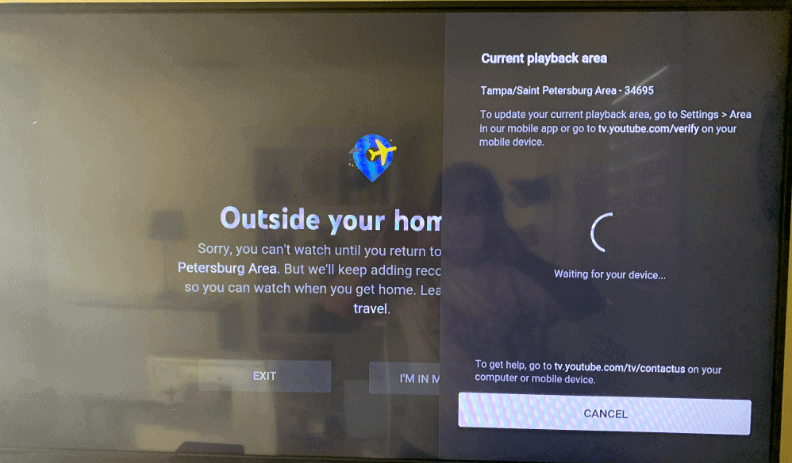
YouTube TV is an incredible streaming service that allows people to access live TV channels and on-demand content. However, it comes with specific location restrictions and policies that users need to be aware of before trying to use it in multiple locations. Essentially, YouTube TV is designed to zip you into the area where you have your subscription. This is mainly because of licensing agreements with broadcasters and content providers, which often restrict content access based on geographical areas. So, what does this mean for you?
- Home Location: When you sign up for YouTube TV, you set a "home location," which is the primary address where the service can be accessed without issue. This home base is essential for providing the correct local channels and content.
- Accessing Outside Your Home: If you try to access YouTube TV outside your designated home area, you might encounter limitations. Depending on your location, you may only have access to certain live channels and content that align with your home region.
- Location Updates: You can update your home location if you move or if you've set it incorrectly. However, keep in mind that you can only change it every 4 months, so choose wisely!
For example, say you set your home location in New York. If you travel to California, you might miss out on some local channels that should be available back home. So, while you can still get access to the meat of the content, certain local programming could remain out of reach due to these policies. Understanding these restrictions can save you from the frustration of figuring out why you can't watch your favorite show when you're away.
Using YouTube TV in Different Locations
If you've ever been on the road and thought, "Can I watch YouTube TV while I'm away from home?" you’re not alone. The good news is that you can enjoy YouTube TV in various locations, thanks to its ability to stream on multiple devices. However, just as we discussed previously, it's essential to navigate within the rules that govern how YouTube TV operates across different areas. Let’s break it down.
- Using YouTube TV App: You can download and use the YouTube TV app on your mobile devices or compatible streaming devices. This gives you the flexibility to watch content on-the-go. Just be sure your device has a stable internet connection!
- Traveling Nationwide: While you can take YouTube TV with you when you travel across the United States, you’ll primarily see the channels that were designated to you based on your home location. If you want to experience local channels related to where you're traveling, you might not get that full experience.
- Temporary Locations: For temporary access while away, logging into your account from a different device at a new location is generally hassle-free. However, long-term access outside your home location may not be permitted without updating your home address.
To maximize your experience when using YouTube TV in different locations, consider planning your viewing based on your travels. Streaming your favorite shows, binge-watching documentaries or catching up on live sports is totally doable, just keep in mind the geographical quirks associated with the content restrictions. Whether at a friend's house or on vacation, knowing the limitations helps you enjoy the service without a hitch!
Impacts of Multiple Locations on Your Subscription
When it comes to YouTube TV, using the service in multiple locations can have some significant effects on your subscription. Unlike traditional cable services, which usually tie you to a single physical address, YouTube TV is designed to be flexible—but that flexibility comes with certain limitations.
First and foremost, your subscription is linked to a primary location, which is determined by your home address. This address is crucial for establishing what local channels you can access. If you try to use YouTube TV outside this primary location, here’s what might happen:
- Local Channel Availability: YouTube TV offers local channels based on your home location. If you're in a different area, you may not be able to access the same local channels you usually enjoy.
- Network Restrictions: Some networks have geographical restrictions, meaning they may block you from watching certain live programming if you aren’t in your home area.
- Device Limitations: YouTube TV allows you to use your subscription on various devices, but there's a cap on how many devices can stream concurrently. This means if you're in different locations with multiple devices, you might hit those limits.
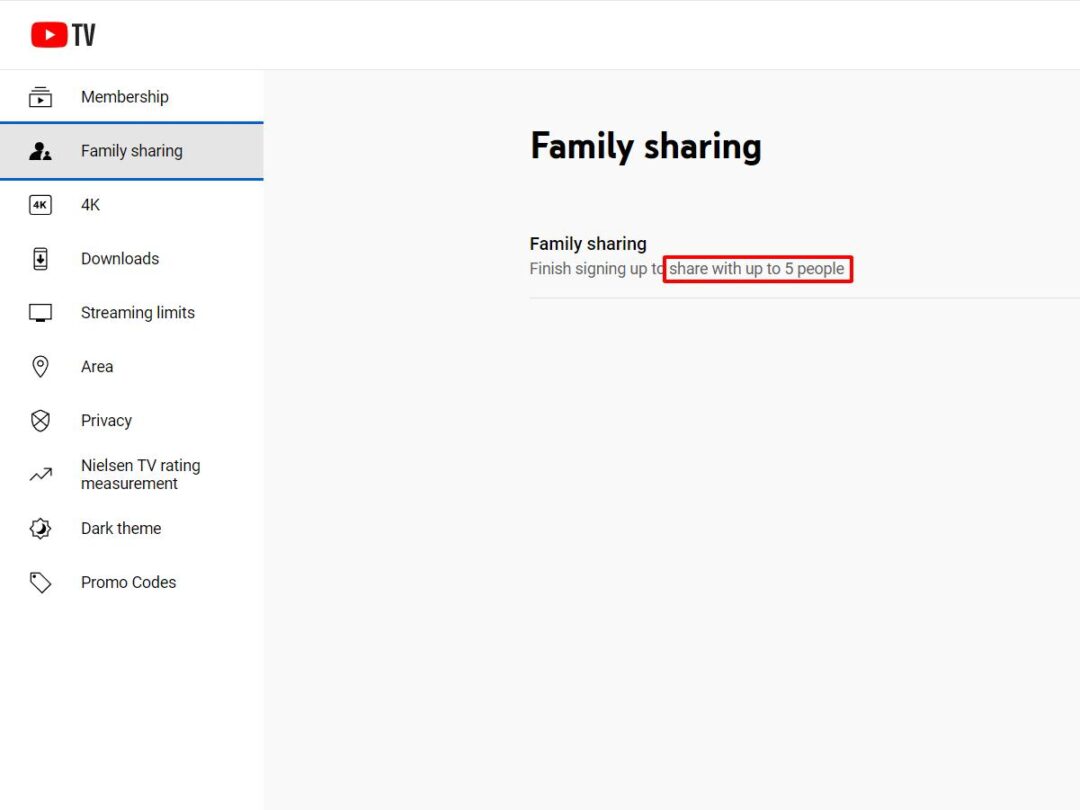
- Account Sharing Policies: While you can share your account with family members, YouTube TV’s policy emphasizes that the primary user should be the one primarily watching from the designated home location.
Understanding these impacts can help you plan better if you’re traveling or managing your subscription across various locations.
Tips for Managing Your YouTube TV Experience
Managing your YouTube TV experience efficiently, especially when using it in multiple locations, can enhance your streaming enjoyment. Here are some handy tips to keep in mind:
- Set Your Home Location: Ensure your home location is accurately set in your YouTube TV account. This helps you get the best local channel lineup.
- Use the App: Install the YouTube TV app on your devices—smartphones, tablets, or smart TVs. This can make switching between devices easier when you're in different locations.
- Prioritize Downloads: If you’re traveling, consider downloading shows or movies for offline viewing. While this doesn’t apply to live TV, it’s useful for binge-watching on the go.
- Manage Your DVR: Keep track of what's on your DVR. You can record shows from your home location and watch them later, regardless of where you are.
- Stay Informed: Always check YouTube TV’s policies and updates. The platform frequently adjusts its features, so being informed helps you use everything to your advantage.
By using these tips, you can ensure a smoother and more personalized YouTube TV experience, no matter where life takes you!
Can You Use YouTube TV in Multiple Locations
YouTube TV is an attractive option for cord-cutters seeking live television options without the complexity of traditional cable subscriptions. One common question among potential users is whether they can use YouTube TV in multiple locations. This query is relevant for individuals who travel frequently, live in more than one place, or even share their account with family members in different regions.
To answer this question, it’s important to understand the policies YouTube TV has in place regarding geographical usage. Here are some key points to consider:
- Home Location: YouTube TV requires users to set a "home location" based on their primary residence. This location is crucial for accessing local channels and regional content.
- Streaming Outside Your Home: You can stream YouTube TV outside of your home on various devices for up to 3 hours at a time, but only if the device is connected to your home network at least once every 30 days.
- Multiple Users: YouTube TV allows up to six accounts per subscription, enabling family members to personalize their viewing experience. However, these accounts must also adhere to the home location policy.
- Traveling and Temporary Relocation: If you are temporarily relocating (for example, while on vacation or business), you can access your YouTube TV account in that location, but local channels may vary.
| Feature | Details |
|---|---|
| Number of Accounts | Up to 6 accounts |
| Home Network Requirement | Connect to home network at least every 30 days |
| Access Outside Home | Yes, for up to 3 hours |
In conclusion, while YouTube TV can be accessed in multiple locations, there are restrictions and conditions that users must comply with. Maintaining a home location and connecting to it periodically ensures a seamless viewing experience, allowing users to enjoy their favorite shows whether they are at home or away.
 admin
admin







