- Scalability: Vector images can be resized without losing quality, which is essential for creating graphics of different sizes, including Twitch emotes.
- High Quality: Vector images are crisp and sharp, making them ideal for professional and polished designs.
- Editable: These images are easily editable, allowing for customization to suit specific needs.
- Transparency: Vector graphics support transparency, which is crucial for creating emotes that seamlessly blend with different backgrounds.
Twitch Emotes and Their Importance
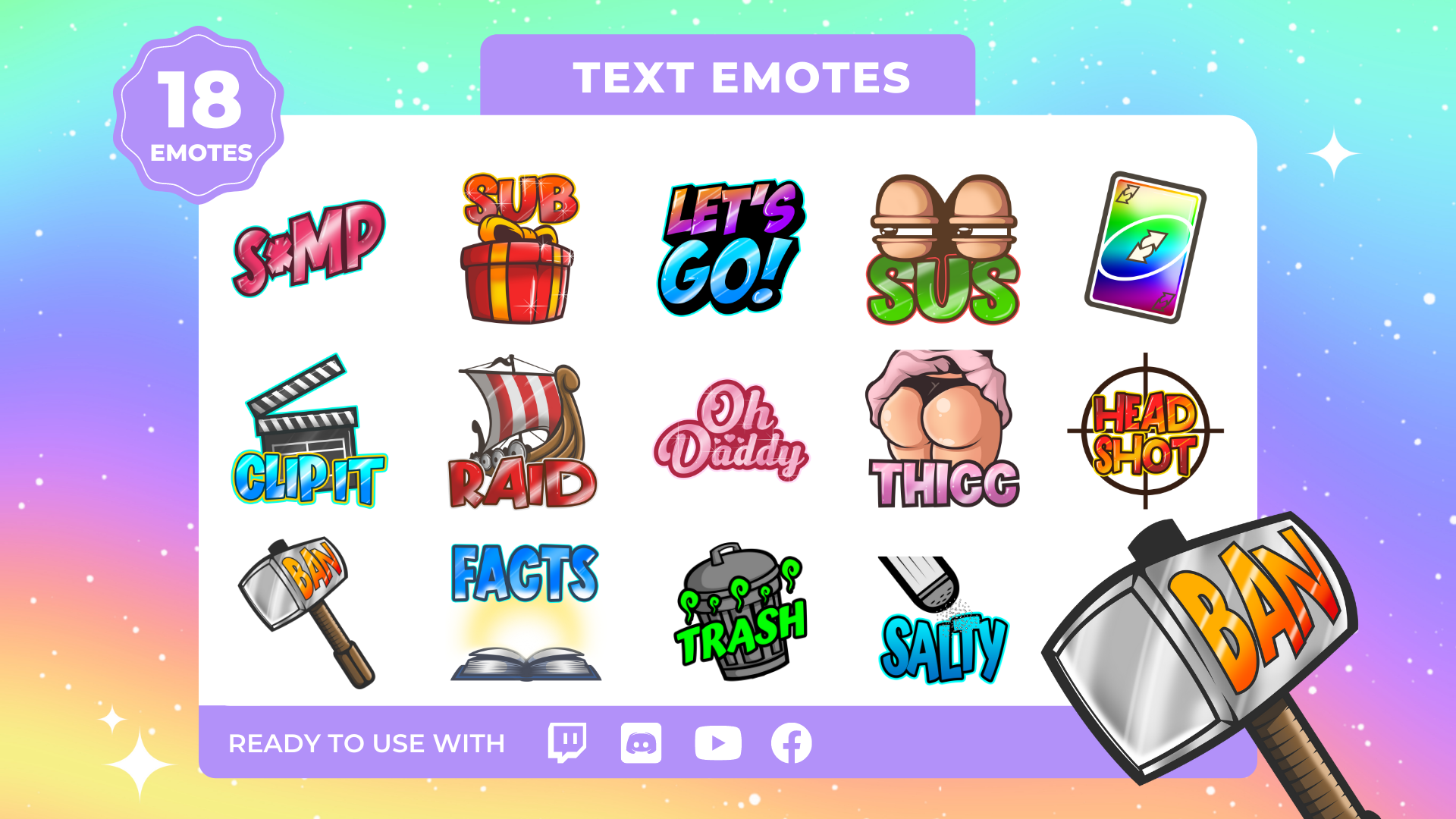 Twitch emotes are more than just cute or funny icons; they are an integral part of the Twitch streaming experience. These small, expressive graphics play a significant role in fostering engagement, communication, and community building on the platform. Here, we'll delve into what Twitch emotes are and why they hold such importance in the world of live streaming.
What Are Twitch Emotes?
Twitch emotes, short for "emoticons," are a collection of custom or pre-designed images that Twitch streamers and viewers use in chat to express emotions, reactions, and inside jokes. Emotes are often created by streamers themselves or commissioned from artists to add a personal touch to their channels. These emotes can range from simple smiley faces to complex, meme-worthy icons that reflect the streamer's unique brand and community culture.
The Importance of Twitch Emotes:
1. Enhanced Communication: Emotes provide a visual language for viewers to express their feelings and reactions during a stream. Whether it's laughter, excitement, or support, emotes offer a quick and fun way to communicate without typing out lengthy messages.
2. Community Building: Emotes often become a signature part of a streamer's community. Viewers who subscribe to a channel gain access to these emotes, creating a sense of exclusivity and belonging. This fosters a tighter-knit and more engaged community around the streamer.
3. Entertainment and Engagement: Emotes inject entertainment into streams, making them more engaging and interactive. Streamers often encourage viewers to use emotes in response to particular events or situations during the broadcast, adding a layer of participation to the viewing experience.
4. Personal Branding: Emotes are a way for streamers to build and reinforce their personal brand. A streamer's unique emotes can become associated with their content and personality, making them more memorable and recognizable to their audience.
The Evolution of Emotes:
Over the years, Twitch emotes have evolved from simple smileys to complex and context-specific icons. Viewers and streamers have created a unique subculture around emotes, with some even becoming viral sensations. Twitch also introduced "Bits" and "Cheers," allowing viewers to support their favorite streamers with custom animated emotes, further enhancing the importance of these visual expressions.
As we explore the potential of using VectorStock images for Twitch emotes, remember that these graphics serve a fundamental role in enhancing the Twitch experience. The ability to create custom, high-quality emotes using VectorStock resources can take your stream's engagement to the next level, making it even more enjoyable for your viewers.
Twitch emotes are more than just cute or funny icons; they are an integral part of the Twitch streaming experience. These small, expressive graphics play a significant role in fostering engagement, communication, and community building on the platform. Here, we'll delve into what Twitch emotes are and why they hold such importance in the world of live streaming.
What Are Twitch Emotes?
Twitch emotes, short for "emoticons," are a collection of custom or pre-designed images that Twitch streamers and viewers use in chat to express emotions, reactions, and inside jokes. Emotes are often created by streamers themselves or commissioned from artists to add a personal touch to their channels. These emotes can range from simple smiley faces to complex, meme-worthy icons that reflect the streamer's unique brand and community culture.
The Importance of Twitch Emotes:
1. Enhanced Communication: Emotes provide a visual language for viewers to express their feelings and reactions during a stream. Whether it's laughter, excitement, or support, emotes offer a quick and fun way to communicate without typing out lengthy messages.
2. Community Building: Emotes often become a signature part of a streamer's community. Viewers who subscribe to a channel gain access to these emotes, creating a sense of exclusivity and belonging. This fosters a tighter-knit and more engaged community around the streamer.
3. Entertainment and Engagement: Emotes inject entertainment into streams, making them more engaging and interactive. Streamers often encourage viewers to use emotes in response to particular events or situations during the broadcast, adding a layer of participation to the viewing experience.
4. Personal Branding: Emotes are a way for streamers to build and reinforce their personal brand. A streamer's unique emotes can become associated with their content and personality, making them more memorable and recognizable to their audience.
The Evolution of Emotes:
Over the years, Twitch emotes have evolved from simple smileys to complex and context-specific icons. Viewers and streamers have created a unique subculture around emotes, with some even becoming viral sensations. Twitch also introduced "Bits" and "Cheers," allowing viewers to support their favorite streamers with custom animated emotes, further enhancing the importance of these visual expressions.
As we explore the potential of using VectorStock images for Twitch emotes, remember that these graphics serve a fundamental role in enhancing the Twitch experience. The ability to create custom, high-quality emotes using VectorStock resources can take your stream's engagement to the next level, making it even more enjoyable for your viewers.
Also Read This: How Big Getty Images Is and What That Means for You
VectorStock's Licensing Terms
When considering the use of VectorStock images for Twitch emotes or any other creative project, it's essential to understand the licensing terms that govern these graphics. VectorStock offers various licensing options, each with its own set of rights and restrictions. Let's explore these licensing terms to ensure you're using the images in compliance with VectorStock's policies. Types of Licenses: VectorStock provides the following types of licenses:| License Type | Usage | Restrictions |
|---|---|---|
| Standard License | For personal and commercial use with limited distribution. | Not for resale, sublicensing, or distribution of source files. |
| Enhanced License | For more extensive commercial use, including merchandise and print runs. | Not for resale, sublicensing, or distribution of source files. |
Also Read This: How to Effectively Publish and Share Your Work on Behance
Using VectorStock Images for Twitch Emotes
Now that we've explored the significance of Twitch emotes and understand VectorStock's licensing terms, let's dive into the exciting realm of using VectorStock images to create captivating and unique Twitch emotes. This section will guide you through the process, offering insights and tips to ensure that your emotes stand out and enhance the viewing experience on your Twitch channel. 1. Choose Your VectorStock Images: Begin your emote creation journey by browsing the extensive VectorStock library to find images that resonate with your channel's theme or style. Whether you're looking for cute, funny, or expressive graphics, VectorStock offers a wide range of options to choose from. Consider the emotions or reactions you want to convey with your emotes and select images that align with your vision. 2. Customize and Personalize: Vector graphics are highly customizable, and this is where your creativity can shine. Use graphic design software to modify the VectorStock images to suit your brand and messaging. Add text, adjust colors, or make other changes that make the emotes uniquely yours. Remember to respect the licensing terms and not distribute the source files. 3. Sizing and Scaling: Twitch emotes have specific size requirements, usually around 112x112 pixels. Ensure that you resize and scale your emotes to fit these dimensions, maintaining clarity and visibility. Vector graphics are advantageous here as they can be resized without loss of quality. 4. Emote Variations: Create a set of emote variations to cater to different reactions or emotions. For example, you might have variations of the same emote for excitement, laughter, or surprise. A variety of emotes adds depth and engagement to your channel. 5. Test and Get Feedback: Before officially launching your emotes on your Twitch channel, test them with a select group of viewers or friends. Gather feedback to ensure that the emotes effectively convey the intended emotions and reactions. Make necessary adjustments based on the input you receive. 6. Upload and Activate: Once you are satisfied with your emotes, it's time to upload and activate them on your Twitch channel. Remember that different subscription tiers may offer different numbers of emote slots, so plan accordingly based on your audience and subscriptions. 7. Encourage Emote Usage: During your streams, encourage viewers to use your emotes to express themselves. You can even create special events or triggers that prompt viewers to use specific emotes, enhancing engagement and interactivity. 8. Monitor and Iterate: As your channel grows, keep an eye on which emotes are most popular and resonating with your audience. Use this feedback to iterate and create new emotes or refine existing ones, ensuring that they remain relevant and enjoyable for your viewers. Using VectorStock images for Twitch emotes opens up a world of creative possibilities. These high-quality vector graphics can add a professional and visually appealing dimension to your Twitch channel, enhancing your viewers' experience and fostering a stronger sense of community.Cartoon explosion set by MaryDesy.https://t.co/m30KozpaVx pic.twitter.com/Px9bfBTsH7
— VectorStock (@VectorStock) November 4, 2023
 admin
admin







